The memory your clipboard never had.
A private clipboard manager for Mac and iPhone. Everything you copy is captured, categorized, and encrypted on-device. Nothing ever leaves your Apple account.
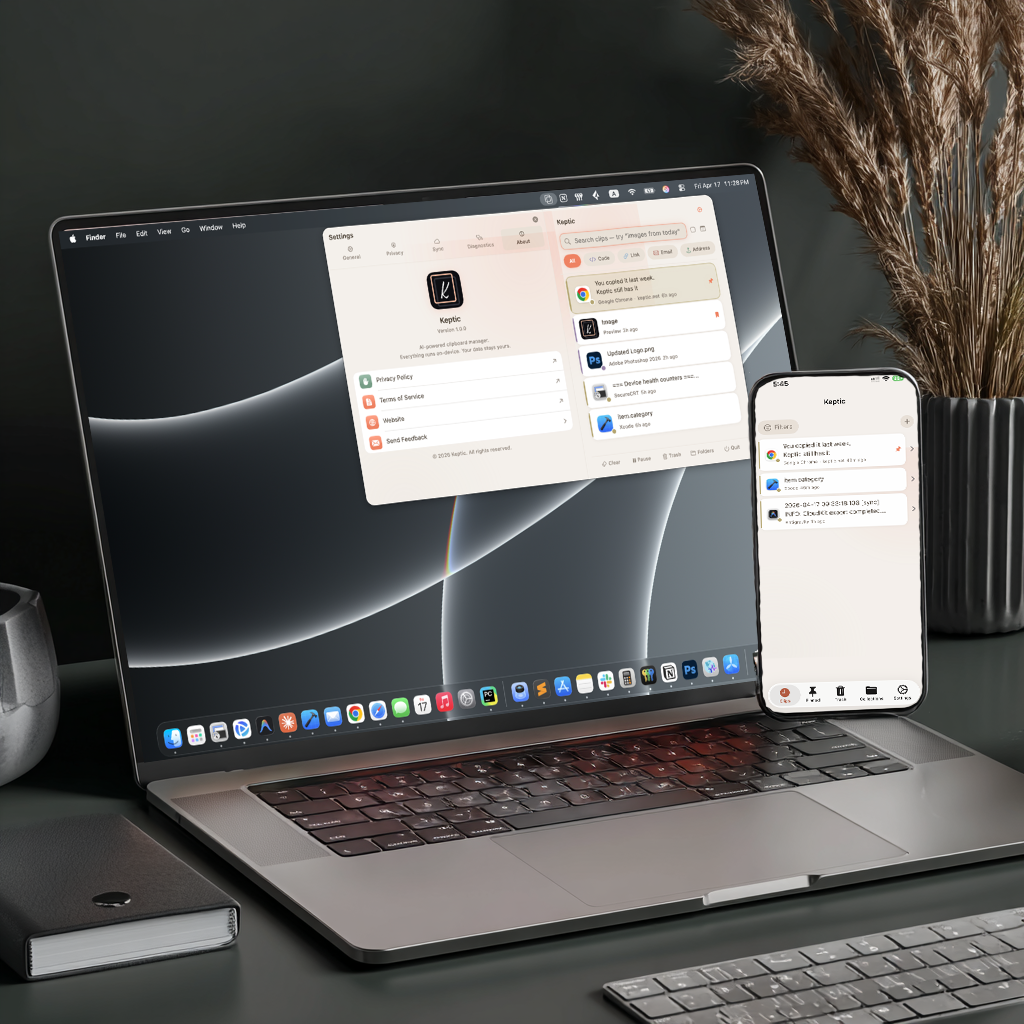
You copied it last week. Keptic still has it.
Capture, categorize, encrypt, sync. All on-device.
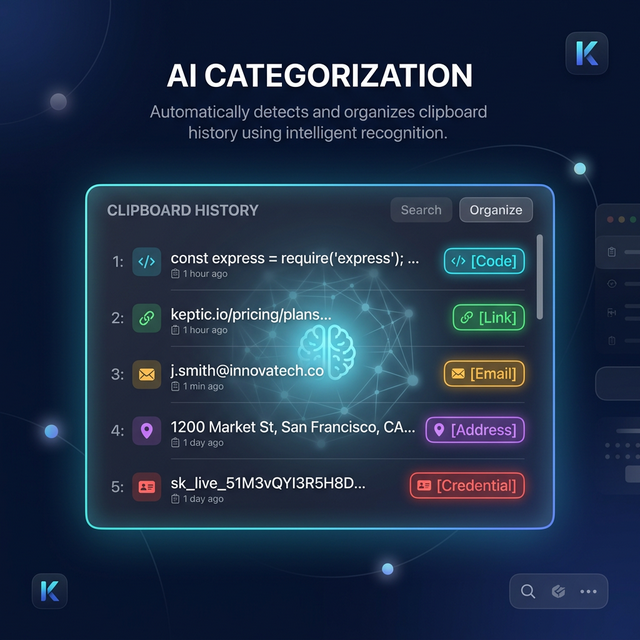
On-device AI that actually classifies.
Apple Foundation Models tag every copy into 10 categories the moment you hit ⌘C. Code, URLs, emails, credentials, addresses. Zero cloud, zero latency.
- Runs locally using Apple Intelligence
- Pattern-matching fallback on older devices
- Offline forever. No telemetry.
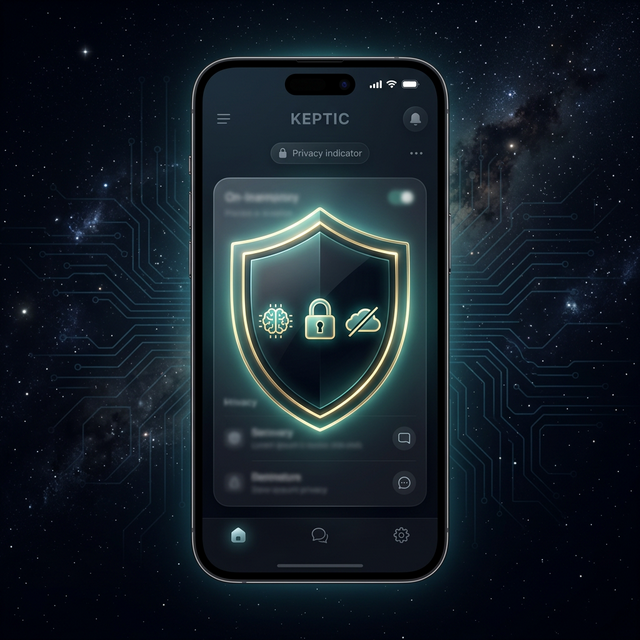
Private by architecture, not policy.
Sensitive clips are encrypted with AES-256-GCM before they touch storage. Protected by Face ID, Touch ID, or your passcode. No Keptic servers, no third-party access, no way for anyone to see your data.
- Per-clip biometric unlock
- Credentials auto-detected and encrypted
- Verifiable: zero network calls
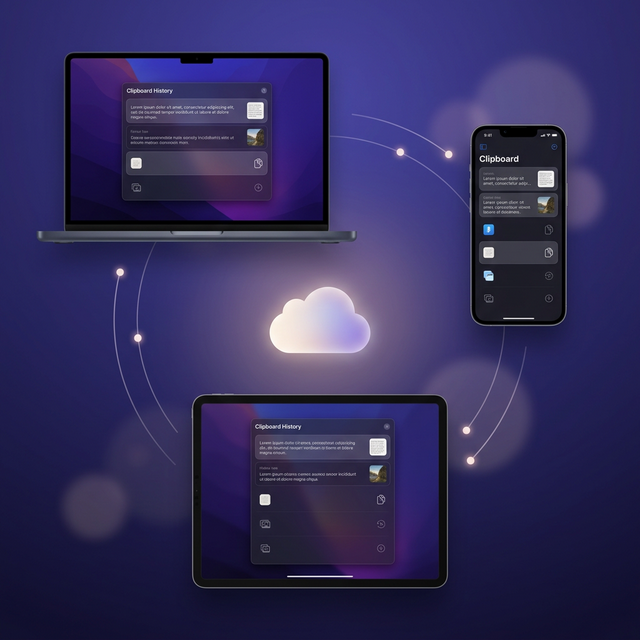
Everywhere you are. Nowhere else.
Copy on your Mac, paste on your iPhone. Your full clipboard history syncs across your Apple devices via iCloud with end-to-end encryption. Zero configuration.
- iCloud end-to-end encryption
- Works on Mac, iPhone, iPad
- Offline-first with background sync
Built for the way you actually work.
Instant search
Find any clip by text, category, source app, or date. Natural-language search powered by on-device AI.
Collections & templates
Organize into folders. Reusable email templates with recipients, subjects, and signatures.
Menu bar & hotkey
⌘⇧V opens your full history from any app. Lives in your menu bar.
iOS keyboard extension
Paste any clip directly from your keyboard. Works in every app without leaving it.
OCR inside images
Copy a screenshot, get the text. On-device OCR extracts text from any image automatically.
Pin & save permanently
Pin clips for quick access or save permanently to survive any cleanup.
Three steps. Zero effort.
From copy to organized, in the time it takes to ⌘C.
Copy
Use ⌘C as usual. Keptic captures every clipboard change silently from the menu bar.
Classify
On-device AI categorizes in milliseconds. Code, URLs, emails, credentials, all sorted instantly.
Access
Press ⌘⇧V or open the iPhone app. Search, filter, pin, and paste from anywhere.
One plan. Two terms.
7-day free trial. Cancel anytime in the App Store.
- Up to 5,000 clips in history
- AI categorization & search
- iCloud sync across all devices
- Cancel anytime
- Just $1.67/mo
- Up to 5,000 clips in history
- AI categorization & search
- iCloud sync across all devices
Available now on the App Store.
Questions? Answers.
How does Keptic read my clipboard?
On macOS, Keptic polls the system pasteboard using a standard Apple API. On iPhone and iPad, you can save clips using the Share Extension from any app, paste directly into the Keptic keyboard, or use the built-in clipboard shortcut. All clips sync across your devices automatically via iCloud.
Does AI categorization work offline?
Yes. All AI runs locally using Apple's Foundation Models framework. No internet required. When AI isn't available, pattern-matching heuristics take over.
What happens when the trial ends?
Your existing clips stay accessible, but new copies won't be saved until you subscribe to Pro.
What are the system requirements?
macOS 26 or later and iOS 26 or later. AI features require Apple Intelligence: an M-series Mac, or iPhone 15 Pro and later. On unsupported devices, Keptic still works using smart pattern matching instead of AI.
Is my data safe?
Your clipboard data never leaves your devices. Sensitive items are encrypted with AES-256-GCM. iCloud sync uses Apple's end-to-end encryption. There are no third-party servers and no way for us to see your data.
Can I use Keptic on multiple devices?
Yes. Your subscription covers all your Apple devices signed into the same Apple Account. Clips sync automatically via iCloud.
What's the difference between Pin and Save Permanently?
Pin keeps a clip at the top of your list and protects it from history trimming, but it can still be removed by retention policies or "Clear All."
Save Permanently protects a clip from all automatic deletion: history limits, retention policies, sensitive auto-delete, and Clear All. It's the strongest protection for clips you never want to lose.
You can use both together: pin for quick access, save permanently for archival.
How do I cancel my subscription?
Open the App Store, tap your profile, then Subscriptions. Find Keptic and tap Cancel. Your Pro features remain active until the end of the current billing period. Your existing clips are never deleted.
Does Keptic work with images and files?
Yes. Keptic captures images and file references from your clipboard. It also runs OCR on images automatically, so you can search text inside screenshots and photos.
How does the keyboard extension work?
On iPhone, go to Settings › General › Keyboard › Keyboards and add Keptic. Then switch to it in any app to browse and paste your recent clips without leaving the app you're in. It syncs your most recent 50 clips for quick access.
How much history does Keptic store?
Pro users can store up to 5,000 clips. You can also set a custom retention period to auto-delete older clips. Pinned and permanently saved clips are never affected by history limits.
Ready to remember everything?
Available now on Mac and iPhone. Free for 7 days.
macOS 26+ · iOS 26+ · Apple Silicon